Players leave a lot of reviews, and reading every one to find the patterns takes hours you probably do not have. Gameplainer's "Review tagging" does that reading for you. It looks at each review and labels what the player is actually talking about, so you can see the themes across hundreds or thousands of reviews at a glance.

What a tag is
A tag is a short label for a topic a player raised in their review. For example if someone writes about the game running poorly on their computer, the review gets a performance tag, or if they rave about the soundtrack it gets an audio tag. A single review can carry several tags because players often touch on more than one thing.
Tags are grouped into familiar categories so the picture stays readable. Common ones include:
- Bug and technical (bugs, crashes, performance)
- Controls and interface (controls, UI, localization)
- Gameplay
- Balancing and difficulty (difficulty, repetitive, too short, too long, replayability)
- Content and presentation (narrative, graphics, audio)
- Multiplayer
- Pricing
The set of tags grows as games and players bring up new topics, but the goal never changes: turn a wall of free-form text into clear and countable themes.
Liked, disliked, or simply mentioned
Not only are reviews automatically tagged but each tag brings a metric of whether what was mentioned by a player was positive or negative. Every tag is marked with how the player felt about that specific point:
- Praised when they spoke about it positively
- Criticised when they spoke about it negatively
- Neutral when they raised it without a clear leaning
This is why the same tag can be a strength in one review and a complaint in another. Across many reviews it lets you see not just what players talk about, but how they feel about each part of your game.
Every tag is backed by the player's own words
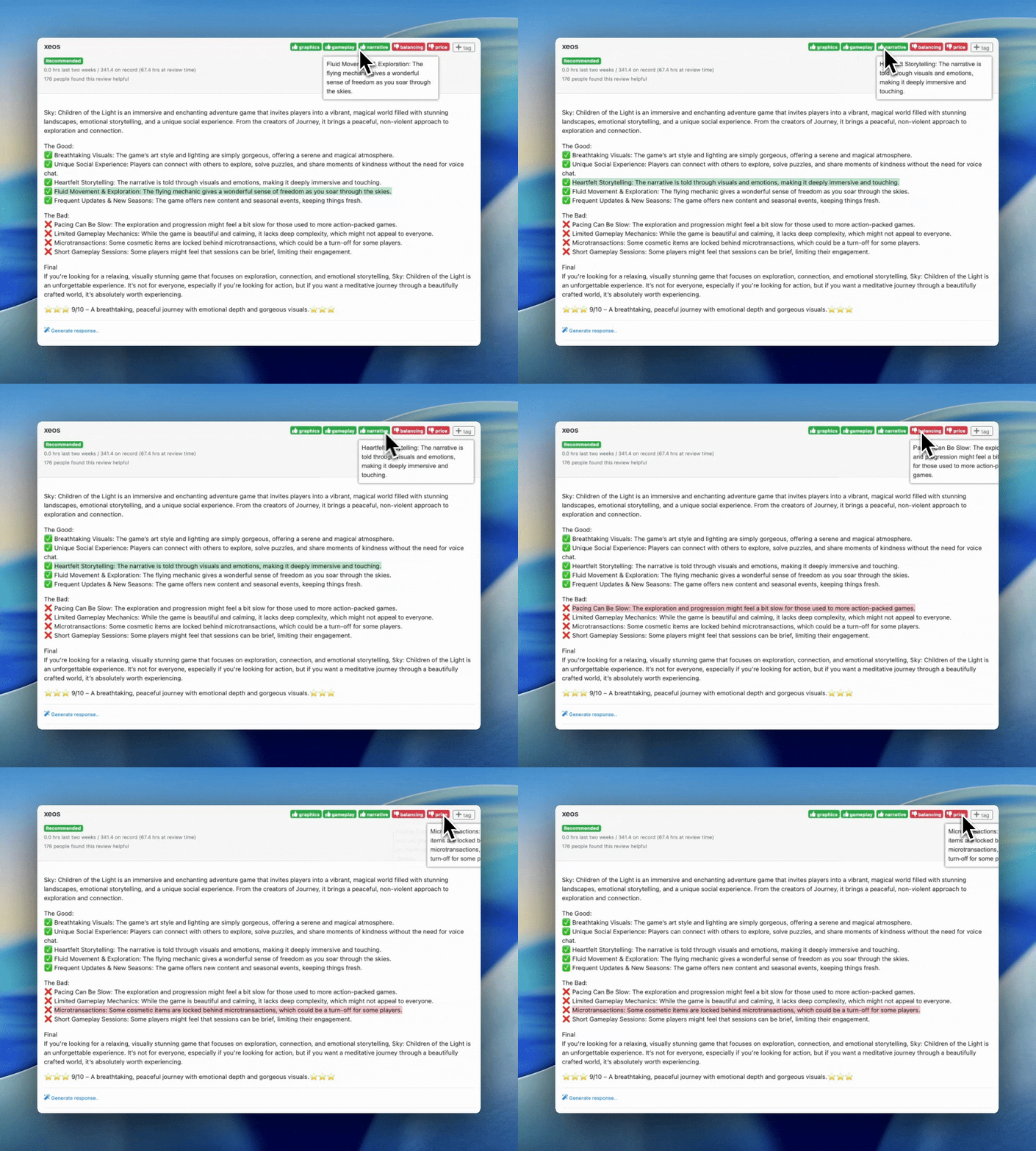
When a tag is applied it is tied to the exact sentence from the review that prompted it. For example if a review is tagged price as criticised, you can read the line where the player complained about the price.
You can always mouse over a tag and check the evidence for yourself.
Search by tags
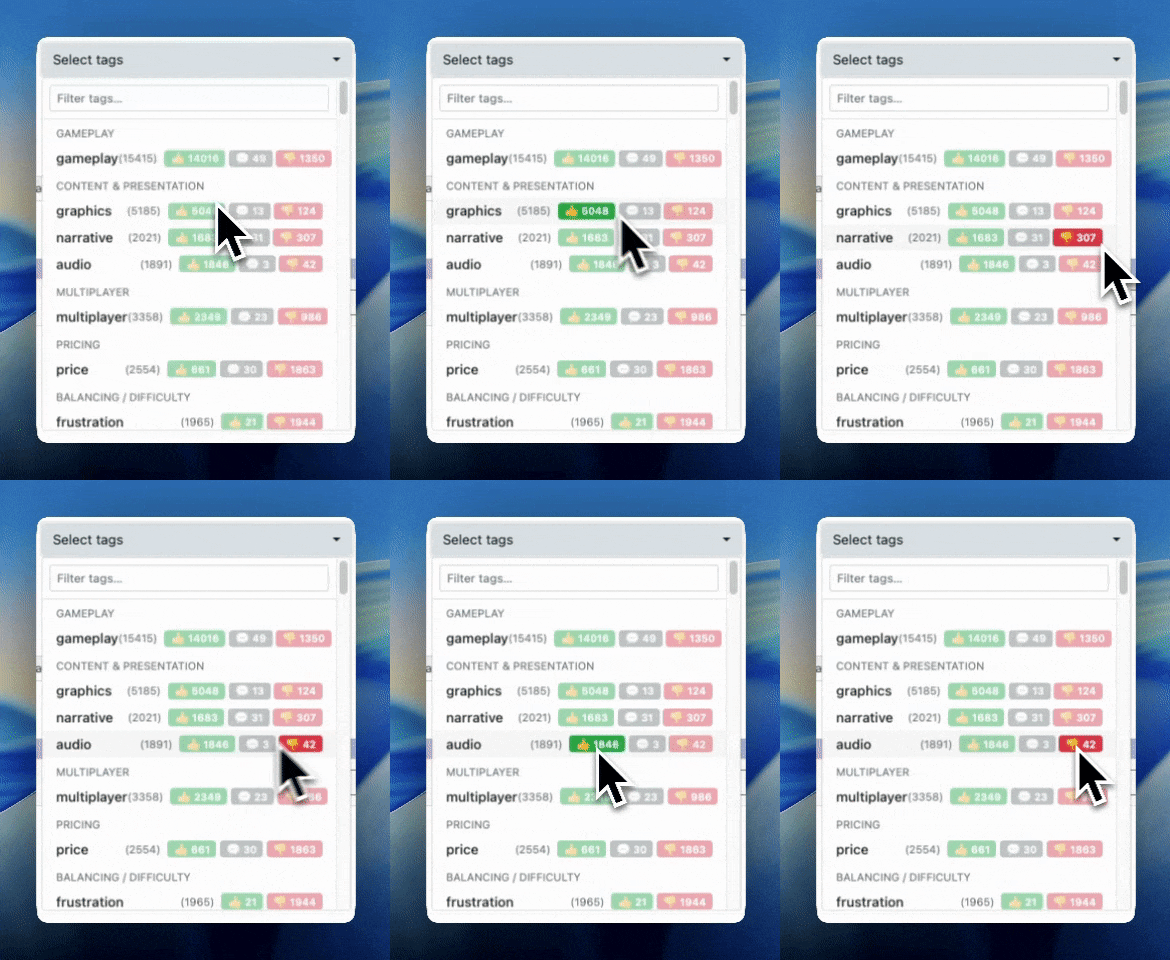
Tagging happens automatically so you get coverage across all your reviews without lifting a finger, and once you've filtered your reviews on a tag you can easily export them to a CSV.
Team tags
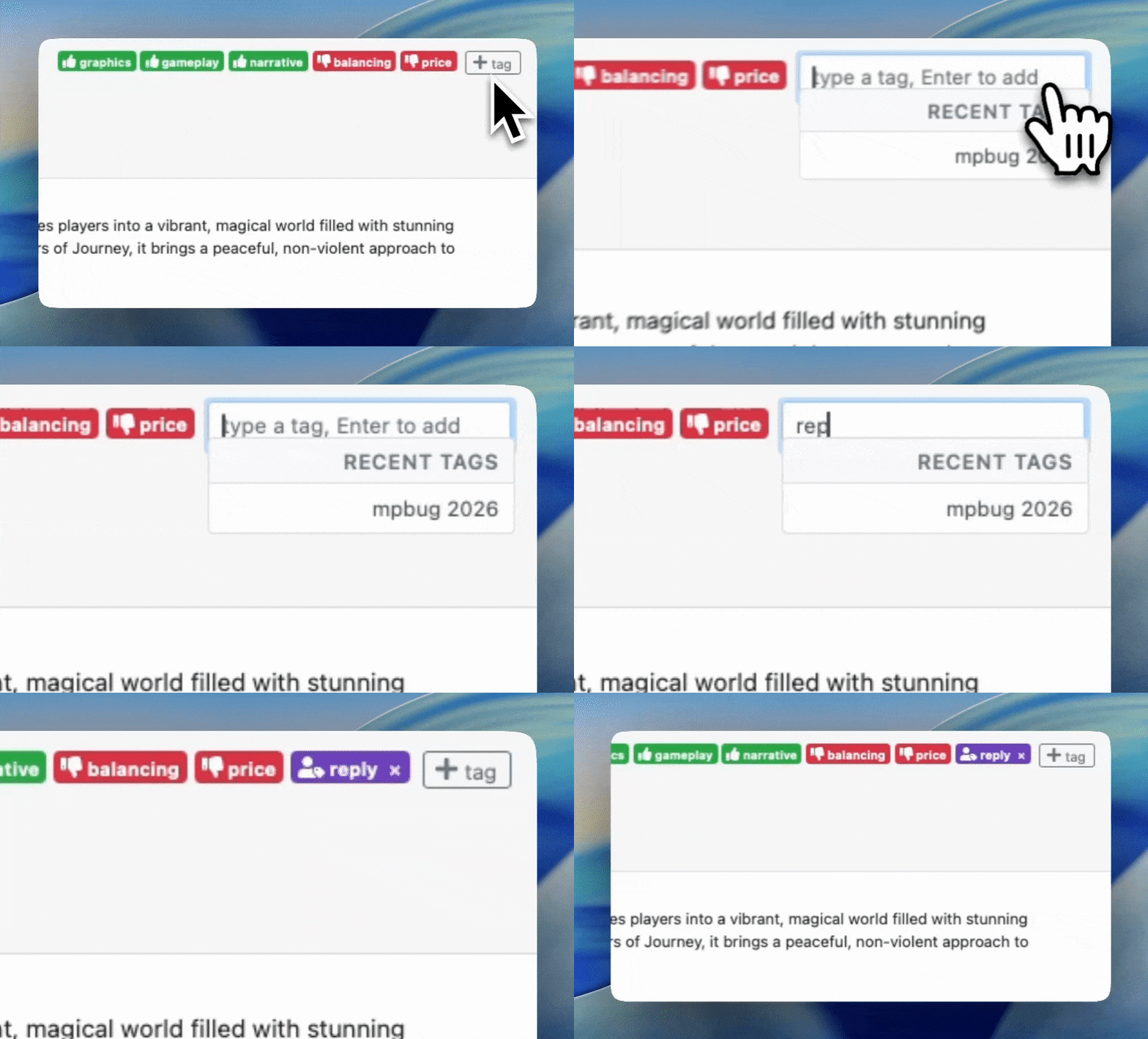
You and your teammates can also add your own tags, remove ones you disagree with, or refine them to match how your team thinks about the game. Your own tags are kept separate from the automatic ones, so it is always clear what came from the system and what came from your team.
You can use team tags to easily filter specific reviews as a reminder to reply to them after you've shipped a bug fix or new feature.
What it means for you
With tagging in place the questions that used to take an afternoon take just a moment. You can see which problems come up most often and prioritise fixes with confidence. You can spot what players love and lean into it in your messaging and watch how sentiment on a specific theme shifts after after each update.
Stay in the loop
Get notified when we publish new articles on game development and player feedback.
